Emergency Call Buttons & Wireless Bells: Buying Guide
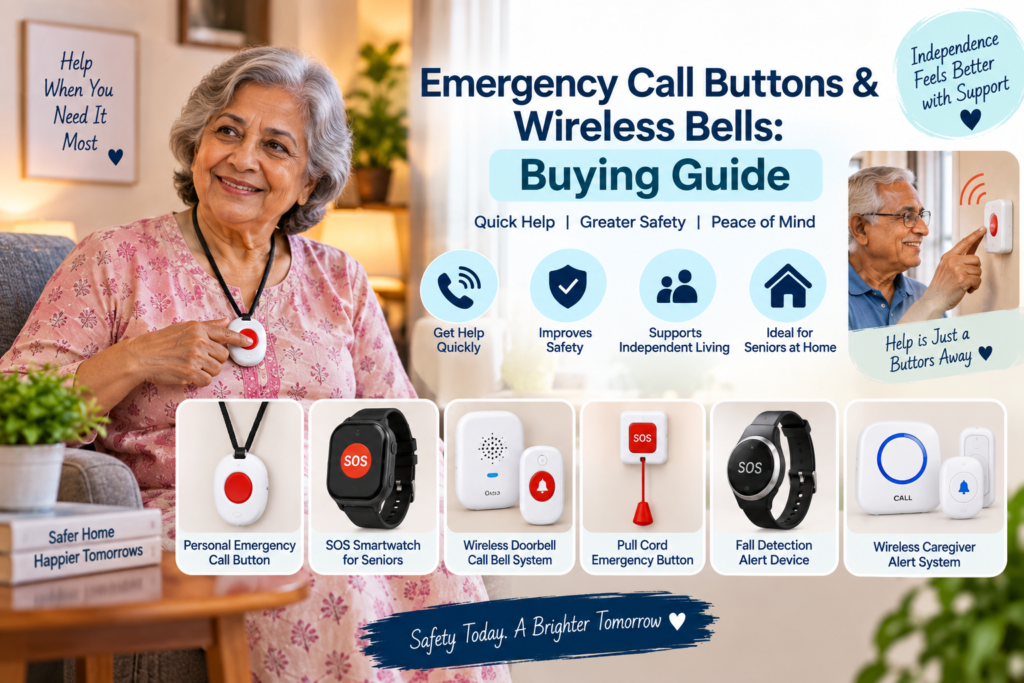
A simple wireless call button lets an elderly parent alert a caregiver elsewhere in the home when help is needed, without relying on shouting or a phone call.
What to Look for When Choosing a Call Button
- Range — check the stated wireless range covers the distance between rooms in your home
- Volume and tones — multiple chime options and adjustable volume help the receiver be heard from another room
- Ease of use — a single, obvious button is easier to use reliably than a multi-function device
- Placement flexibility — look for a design that can be placed bedside, in the bathroom, or carried around
- Water resistance — useful if placing the button near a bathroom or kitchen
Featured Product: UN1QUE Wireless Door/Calling Bell
A wireless calling bell from UN1QUE with up to 1000ft range, 36 chime tones, 4 volume levels (up to 100dB), an LED indicator light, and IP44 water resistance — useful as a simple call button an elderly parent can press to alert someone elsewhere in the home.
First, Decide Who Will Respond
Before buying anything, answer one question: when the button is pressed, who will hear it and come?
- Someone else lives at home (spouse, family member, home nurse): a simple wireless calling bell or caregiver pager is usually enough.
- Parent lives alone, family nearby: you need an alert that reaches phones, plus a neighbour who can reach the house quickly.
- Parent lives alone, family far away: plan for a local responder (neighbour, relative, residents’ association) and make sure they can get into the house.
No alert device can guarantee a response or replace medical care. In any emergency, call 112.
Types of Call Buttons and Alert Devices
- Wireless calling bell: a push button and a plug-in or battery receiver. Simple, affordable and familiar to use.
- Wearable pendant or wristband button: worn around the neck or wrist so help can be called even after a fall away from the bedside.
- Multi-button systems: one receiver with several buttons, for example bedside, bathroom and sitting room.
- Smart or phone-connected alerts: send a notification to a family member’s phone. They need reliable Wi-Fi or mobile signal and a little setup.
For most families caring for a parent at home, a simple wireless bell is a good starting point. A wearable or phone-connected option may be worth considering if your parent is often alone or at higher risk of falls.
Options When Your Parent Lives Alone
A calling bell only alerts people inside the house. If your parent is often alone, consider an option that reaches family members’ phones:
- SOS feature phones: several basic phones sold for seniors in India include an SOS button that calls or messages saved contacts. The phone must be charged and within reach. See our guide to easy-to-use phones for seniors.
- Smartphone emergency features: many smartphones have a built-in emergency SOS that calls emergency services or shares location when a button is pressed several times. Set it up with your parent, add emergency contacts and medical information, and test it together.
- App-based and wearable alert devices: these connect to Wi-Fi or a SIM and send alerts through an app or WhatsApp. Check battery life, whether a subscription or home Wi-Fi is needed, what happens if no one responds, and recent reviews about false or missed alerts.
Some devices claim automatic fall detection. It can miss some falls and trigger on others, so treat it as an extra layer — not a replacement for a button your parent can press.
More Options on Amazon
Examples of product types that may help — not a ranking or a guarantee. Check range, reviews and return options before buying.
CallToU Caregiver Pager Wireless Call Button
One plug-in receiver and one waterproof call button, listed with 500+ ft range and 55 ringtones with adjustable volume. Suited to homes where a caregiver is present but in another room.
Approx. ₹2,230 (price as of 12 Nov 2026 — check Amazon for current price)
View on Amazon →Anchor by Panasonic Wireless Calling Bell
Wireless bell from a well-known Indian brand, listed with 45 melodies and a 120-metre operating range. Test range through your walls before relying on it.
Approx. ₹799 (price as of 12 Nov 2026 — check Amazon for current price)
View on Amazon →As an Amazon Associate I earn from qualifying purchases. This does not change the price you pay. Read our Amazon Affiliate Disclosure.
Where to Place Call Buttons
- Next to the bed, within reach while lying down
- In the bathroom, near the toilet and bathing area (choose a water-resistant button)
- Near a favourite chair or sitting area
- Receiver in the room where the caregiver spends most time, such as the kitchen, with a second receiver in the caregiver’s bedroom at night if possible
If your parent is mostly in bed, our guide to bedridden elderly care at home and bedside safety products cover what else to keep within reach.
Setting Up and Testing
- Test the range from every room where a button will be placed, with doors closed, before relying on it.
- Choose a chime that is clearly different from the doorbell and mobile ringtones.
- Practise using it with your parent so pressing the button becomes a habit.
- Check batteries regularly, and keep spares at home.
- Agree on a simple family plan: who responds, and what to do if there is no answer.
Making Sure It Actually Gets Used
The most common problem is not the device — it is that the parent does not press it. Older adults often say they did not want to “disturb” anyone.
- Explain that pressing the button for a small worry is completely fine.
- Test it together every week so pressing it feels normal.
- Check batteries monthly and set a reminder on your own phone.
- Make sure everyone in the household recognises the receiver’s sound.
Help Numbers to Save
Save 112 (emergency response), your parent’s doctor and nearest hospital, and the National Helpline for Senior Citizens (Elderline, 14567), a toll-free government helpline offering information and guidance for senior citizens. Write the important numbers in large print near the phone as well.
Related Guides
Frequently Asked Questions
Is a wireless doorbell good enough as a call button?
For many homes, yes. A wireless calling bell works well when a caregiver is usually at home and within range of the receiver. It does not alert anyone outside the house.
What if my parent lives alone?
A simple bell only alerts people inside the home. Consider a phone-connected alert, a wearable device with calling features, or arranging regular check-ins with family or neighbours.
Can the button be used in the bathroom?
Only if it is water-resistant. Check the product’s water-resistance rating and place it away from direct water spray.
How far can a wireless call bell reach?
Stated ranges are usually measured in open space. Walls, floors and appliances reduce the range, so always test it inside your own home.
Do fall-detection devices work reliably?
They can help, but none is perfect. They may miss some falls or give false alarms, so your parent should still have a button they can press themselves.
What is Elderline 14567?
It is the Government of India’s toll-free National Helpline for Senior Citizens, offering information, guidance and support. For medical emergencies, call 112.
Before You Buy
Test the range in your actual home before relying on it day to day, and place the receiver somewhere it will reliably be heard, such as the kitchen or living room where a caregiver spends the most time.